Partition Master Free
EaseUS Partition Master Free




What is a partition manager?A partition manager is a reliable disk partitioning utility for Windows users to flexibly create, resize, delete, and even combine partitions. As one of the best free disk managers, EaseUS Partition Master enables beginners to operate all types of partition management and disk performance optimization tasks on Windows 11/10/8.1/8/7/XP/Vista in a few simple clicks.

No worry if extending volume grey out. Easily adjust the used partition space (s) without any data loss: Resize, Move, to freely change disk space.

Make full use of free or unallocated space by extending the system partition or C drive. Try the "Extend" function and make the PC run faster.

Quickly delete unwanted partitions and create new ones with multiple file systems like NTFS, FAT32 or EXT4 for different purposes.

To merge partitions is actually to combine two partitions as one. EaseUS knows how to fix C drive full and manage a few partitions from chaos.

Quickly format partitions to NTFS, ExFAT, FAT32 or EXT4/3/2, or securely wipe disks and partitions to prevent sensitive data leaks - all with EaseUS free partition manager.
Features and Version
Only Differences
Versi Gratis
Pro


30-day money
back guarantee

100% Secure
Security always comes first

Gratis
tech support
EaseUS Partition Master offers a safer, faster and more flexible exFAT support for cross-platform devices - Windows, Mac, Cameras, and gaming consoles. Just one plug and ready to go.
Breaking the 4GB limit of FAT32, this exFAT partition manager enables you to transfer large files like 4K or gaming data without interruption or slowdowns. Faster, smoother, and more reliable for your removable drives.
Not only supporting partitioning exFAT drives, but EaseUS Partition Master also enables you to resize, move, clone, and even convert your drives safely. It offers the most complete exFAT management toolkit to improve the performance of removable devices and protect data on your exFAT devices safely.
Tired of copying and pasting over and over again? EaseUS Partition Master helps to duplicate or clone partitions from one hard disk/partition to another without any data loss on all Windows-supported PCs.
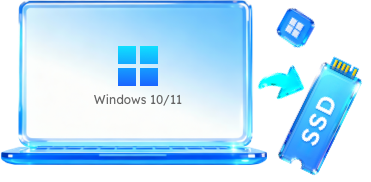
Running out of space on your data partition or data disk? Instantly apply this free disk cloning software - EaseUS Partition Master Free to clone partition or upgrade data disk to naother bigger one for free.

Users may need to convert a disk from MBR to GPT for OS upgrade or other goals. EaseUS partition manager for Windows 11/10 can convert hard disk to GPT/MBR without deleting partitions or losing data.

EaseUS Partition Master Free allows you to convert file system between NTFS and FAT32 with no need to format selected drives.
EaseUS free disk partition software is more than a free disk management tool. Aside from assisting you in managing disk partitions, it also works as a powerful disk performance optimizer that any level of Windows users can apply to clean up hard drives, USB, and external hard drives.

Delete All Disk Partitions
Delete All Disk Partitions
Clean up all existing partitions and data from your hard drive, SSD, and external disks with 1-click.
Pelajari Lebih Lanjut
Wipe Disk Partition Data
Wipe Disk Partition Data
Efficiently wipe data and securely erase HDD/SSD, and external disks, making all data unrecoverable.
Pelajari Lebih Lanjut
Hide/Unhide Partition
Hide/Unhide Partition
To prevent data from being pruned or accidentally deleted, hiding partitions is a sound idea. EaseUS Partition Manager is worth to try.
Pelajari Lebih Lanjut
Convert to Primary/Logical
Convert to Primary/Logical
Directly switch partition from Primary to Logical or Logical to Primary without deleting any volumes.
Pelajari Lebih Lanjut
Convert to Dynamic/Basic
Convert to Dynamic/Basic
EaseUS with Convert to Dynamic and Convert to Basic features covered you for different goals.
Pelajari Lebih Lanjut
Check File System Error
Check File System Error
You could apply it to check disk and fix the corrupted file systems to repair corrupted disks.
Pelajari Lebih Lanjut
Surface Test
Surface Test
EaseUS free hard drive manager supports checking the disk partition health state, fixing bad sectors, etc.
Pelajari Lebih Lanjut
Rebuild MBR
Rebuild MBR
EaseUS can also assist you in fixing Windows boot issues via the Rebuild MBR feature on your own.
Pelajari Lebih Lanjut
4K Alignment
4K Alignment
It's easy to fully use your SSD disk and optimize its performance by 4K aligning the disk.
Pelajari Lebih Lanjut
Change Cluster Size
Change Cluster Size
You can optimize your disk performance by setting and changing SSD cluster size.
Pelajari Lebih Lanjut
Set Partition as Active
Set Partition as Active
Set system partition active can save you from Windows MBR disk boot failure error. It's a 1-click solution.
Pelajari Lebih Lanjut
Initialize Disk to MBR/GPT
Initialize Disk to MBR/GPT
Stay calm if the disk displays unallocated, unknown, or not initialized. Initialize it to MBR/GPT with simple clicks.
Pelajari Lebih Lanjut Supported Operating Systems
Windows 11, Windows 10, Windows 8.1, Windows 8, Windows 7, Windows Vista, Windows XP
 Supported File Systems
NTFS, Ext2/3/4, FAT12/16/32, ReFS, exFAT
 Supported Storage Devices:
HDD: Parallel ATA (IDE), Serial ATA (SATA), External SATA (eSATA), SCSI, IEEE 1394 (FireWire)
SSD: SATA SSD, M.2 SSD, NVMe SSD, Large Capacity Hard Disk(GPT and MBR Disk)
Removable Devices: USB 1.0/2.0/3.0, flash drive, memory card, memory, stick etc.
SCSI, IDE and SATA RAID Controllers, RAIDed Configurations (Hardware RAIDs)
Check Tech Specification 
Create Partition
Right-click unallocated space, select "Create...". Set Partition Size, Drive Letter, Partition Label, and File System for the new partition and click "OK". Click "Execute Operation" and "Finish".
Extend Partition
To extend a partition, right-click the target partition, select "Resize/move". Drag the end of the partition into the unallocated space, click "OK". Click "Execute Operation", "Apply" and "Finish".
Format Partition
Right-click on the target partition that you tend to format, select "Format...". Set the File System as NTFS, FAT32, exFAT, Ext2/3/4, and click "OK". Click " Execute Operation", "Apply" and "Finish".
Merge Partition
Right-click a partition with enough free space and select "Merge". Then select a target partition that you want to keep and click "OK". Click "Execute Operation", "Apply" and "Finish".
EaseUS Partition Master Tutorial
EaseUS Partition Master offers you comprehensive disk partitioning features to improve disk performance efficiently.
Is EaseUS Partition Master Free safe?
EaseUS Partition Master Free is a free yet secure partition software that supports resizing, moving, formatting, deleting, and even erasing hard drive partitions on Windows computers. In addition, it protects users' data and drives security by prompting a confirming window before executing operations.
It's also virus-free and green for all Windows users to trust and rely on.
Is there a free partition manager?
Yes, if you are looking for a Software Manajer Partisi Gratis that helps partition hard drives, and manage your disk space flexibly, don't miss EaseUS Partition Master Free.
You can also trust Windows built-in free partition manager tools, like Disk Management and DiskPart.
So how do you get a free partition manager and use it to create, extend, shrink, and format partitions for free on your own? Follow this page and learn how to efficiently use the best free partition manager on Windows 7/8/10/11.
Which is the best partition manager?
When it comes to finding tools for disk partitioning, you may find it hard to find a qualified partition manager software to create, extend, shrink, merge, split, and even format hard drive partitions.
So which is the best partition manager among the searching result list on Google? Here are some basic criteria that you can apply to define if the current tool works the best for you:
1. Support your current Operating System; 2. It's secure and virus-free; 3. It fulfills your tasks and demands; 4. Easy-to-use; 5. It's within your budget.
You may follow this link to get a list of 12 best free partition manager tools for Windows, and among the list, EaseUS Partition Master Free Edition stands out to fulfill your different disk partitioning demands.
How to get to partition manager?
To access partition manager in Windows, you can try the following 2 tips:
To get to EaseUS partition manager: download and install EaseUS Partition Master on your PC, then, right-click Windows icon and select "search", type 'EaseUS Partition Master' in the search box and click to open it from the result list.
To get to Windows partition manager - Disk Management: Right-click the Windows icon, and click "Disk Management", then wait for the program to open up.
What is the best free Windows disk management tool?
Most modern Windows operating systems contain a built-in tool called Disk Management that supports creating, deleting, and resizing partitions on internal and external hard drives, HDD/SSD, USBs, and even SD cards. However, some Windows beginners report that Disk Management is somehow a bit complex to run and may cause data loss issues without a warning notice. So is there a Disk Management alternative tool that works the same or even better in disk partitioning? Yes, here is a list of free Windows 10 disk management tools that you can apply to execute disk partitioning tasks with ease and effectively.
How do I get EaseUS Partition Master for free?
EaseUS Partition Master is a powerful partition manager software that assists all levels of Windows users to partition hard drives, manage disk space, and check and repair some storage errors to make their drives at peak performance.
If you want to get EaseUS Partition Master for free, please open this link in your browser: https://www.easeus.com/partition-manager/epm-free.html. Then, go and visit the free product page of EaseUS Partition Master Free, and you can directly download it here for free.
How does EaseUS Partition Master work?
Easy for all users! EaseUS Partition Master uses intelligent partitioning technology to handle OS disk partitioning and data disk partitioning. When selecting the function to resize/move/extend/shrink/format disk space, the process will not occur immediately, and you can check the warning message to decide whether to do it. So is other functions do. For the brand-new hard drive, directly follow the new disk guide to manage your storage drives easily.
Which is the best disk partition software?
You may have a different standard about the best partition software. However, most of you still shall share one of the most important criteria for defining the best partition software: qualified and efficient partitioning hard drives, right?
Here is a collection of the top 7 best disk partition software that works on Windows 11/10/8.1/8/7 and even Windows Vista/XP that you view and pick one to manage your hard disk drives immediately.
Is there a free version of Partition Magic?
So is there a free version of Partition Magic software that works equally or even better than PartitionMagic for disk partitioning in new Windows operating systems? Yes, sure. EaseUS Partition Master Free Edition on this page is available for free download.
However, suppose you tend to find a full version of Partition Magic alternative software to manage your Windows computer drives fully. In that case, you can follow this link to Free Download Partition Magic Full Version for Windows.